| Platforms | iPhone, iPad, Mac, Vision Pro only | Web (any browser), PWA, Windows, macOS, Linux, Android, iOS | quadrille: no Apple account needed |
| Price and account | Free with an Apple ID; iCloud for sync | Free; works without an account; e-mail, Google, Apple or GitHub to sync | tie |
| Canvas | Infinite, zoom to 20 000 % | Infinite, hand-drawn or clean rendering, four themes | tie; quadrille adds the look |
| Shapes | Library of 700+ shapes, combine and subtract | 11 diagram shapes, fills, stroke widths, dashes | Freeform for variety |
| Drawing | Pen, pencil, marker, highlighter, fill, Apple Pencil pressure and tilt, Scribble | Pen with stylus pressure, eraser, laser | Freeform |
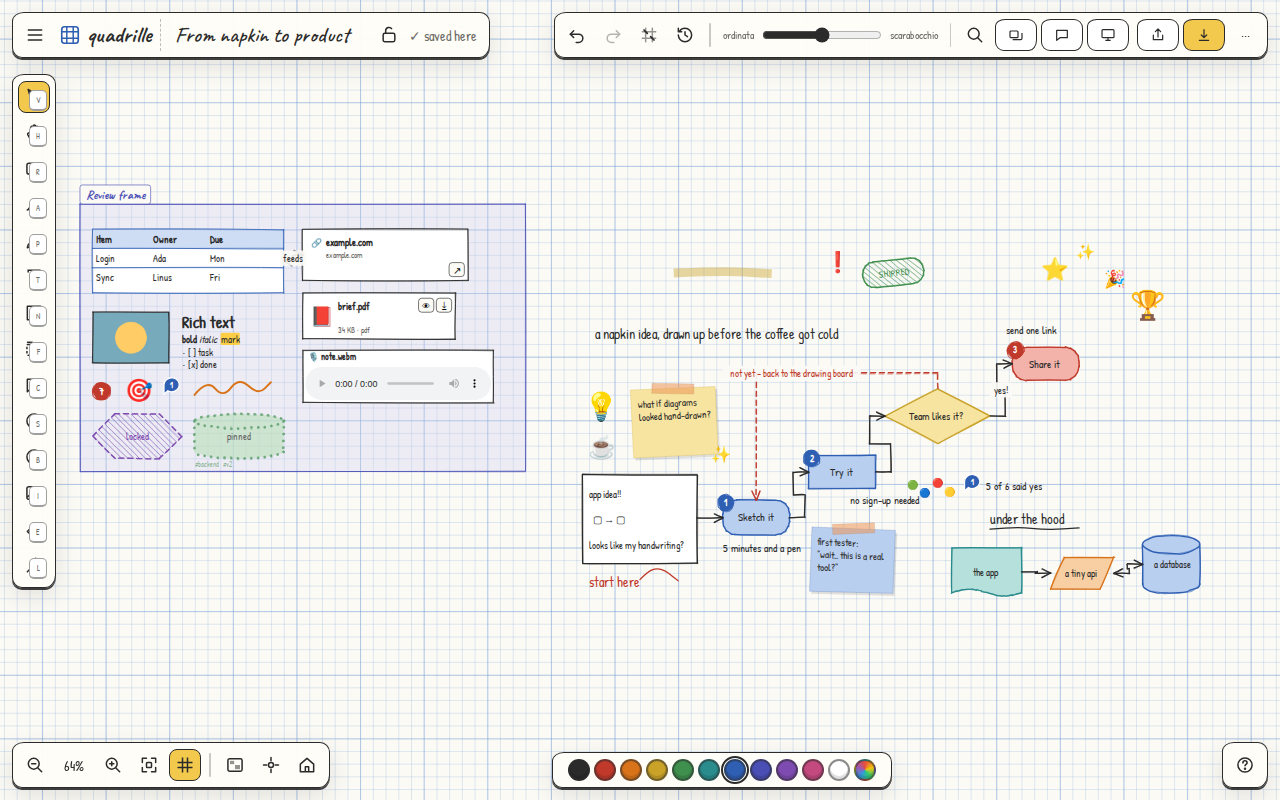
| Connectors | Connected lines that stay attached | Elbow, straight, curved, with labels, arrowheads both ends, automatic re-routing, dashes | quadrille for diagrams |
| Text | Text boxes, fonts, sizes, alignment | Rich text everywhere: bold, italic, highlight, code, links, headings, bullet, numbered and task lists | quadrille |
| Sticky notes and tables | Yes (tables since iOS 26.2) | Yes, tables from CSV too | tie |
| Media | Photos, video, audio, PDFs, links, files, camera, document scanning | Images, video, audio, recording, attachments, PDF preview, optional link cards, camera | tie; Freeform scans documents |
| Frames and sections | Scenes (saved views); no frames as objects | Frames as objects (title, lock with contents) and scenes | quadrille |
| Alignment | Alignment guides, snap to grid | Snap to grid, tidy, arrow keys nudge | Freeform (guides are coming) |
| Grouping and locking | Group, lock | Group, lock, pin (position only), lock the whole board | quadrille |
| Comments, tags, search | No comments; search in the boards list | Comment threads with resolve, tags, full-text search inside the board | quadrille |
| Templates | No | 12 templates, save any board as a template | quadrille |
| Versions | Undo only | Undo and redo, automatic and named versions, restore | quadrille |
| Collaboration | iCloud real-time, Messages and FaceTime | Real-time with cursors, a link and a password per board with no account, view-only on request, offline queue; self-hostable backend | Freeform smoother on Apple; quadrille everywhere |
| Presenting | Scenes as slides | Present mode with scenes, laser, keyboard | tie |
| Export | PDF and images | PNG, JPEG, SVG, PDF, JSON, Markdown, offline link | quadrille |
| Import | Photos and files | Mermaid, CSV, Markdown, OPML, JSON and Freeform boards from their PDF, rebuilt as elements | quadrille |
| Languages and accessibility | Every Apple language, VoiceOver, Dynamic Type | Italian and English; keyboard, labels, reduced motion; screen-reader canvas description coming | Freeform |
| Privacy and data | Apple account, iCloud only | No analytics, local first, export and erase in the app, self-hostable backend | quadrille |
 quadrille